Free, really
All features are included from installation. No “Pro” version, no paid add-ons, no subscription.
Free WordPress booking plugin · made in France
Kraft Booking handles nightly stays as well as appointments: calendar, Stripe payments, deposits, reminders, Airbnb and Booking.com sync. Free, all features included, 0.9% per transaction.
Also available for free on WordPress.org
GDA Kraft Booking marketplace
Complete, elegant websites with booking built in: home page, listings, booking, legal pages and mobile version. All that’s left is to make them yours.
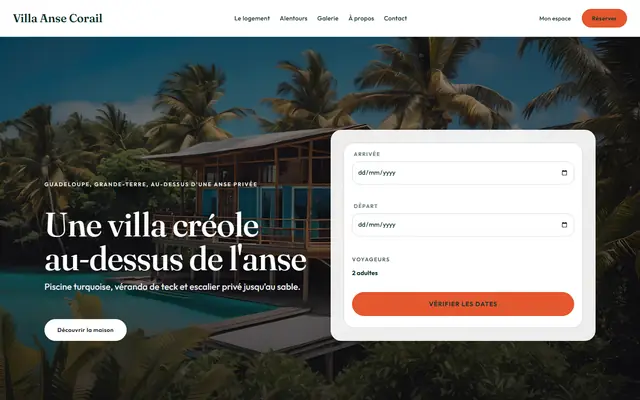

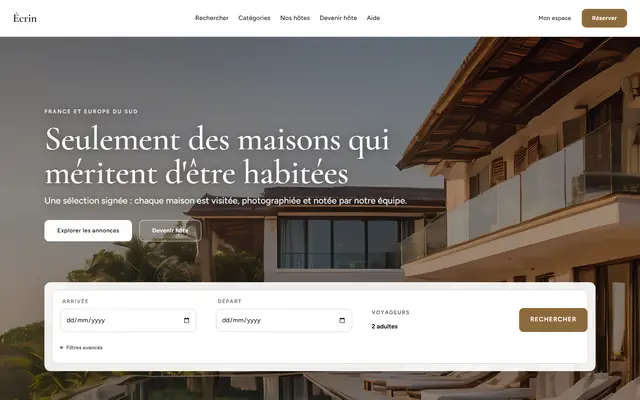
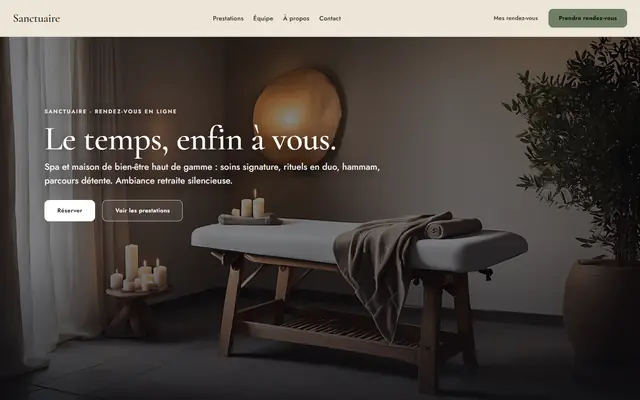
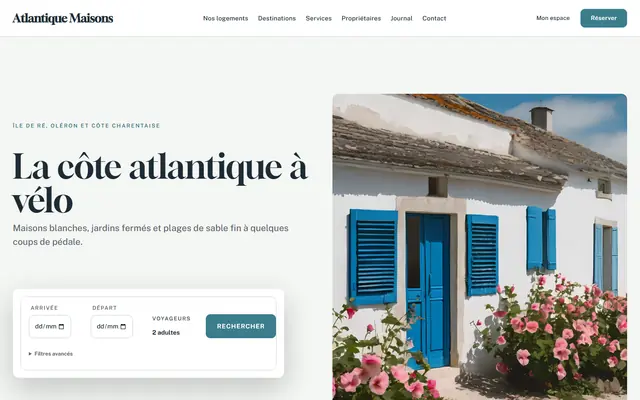
Templates by sector
Villa, chalet, shepherd’s house, riad, loft: a website that looks like your home, to rent it out directly.


Templates by sector
Several properties and owners: catalogue, search by dates, services and an owners page.
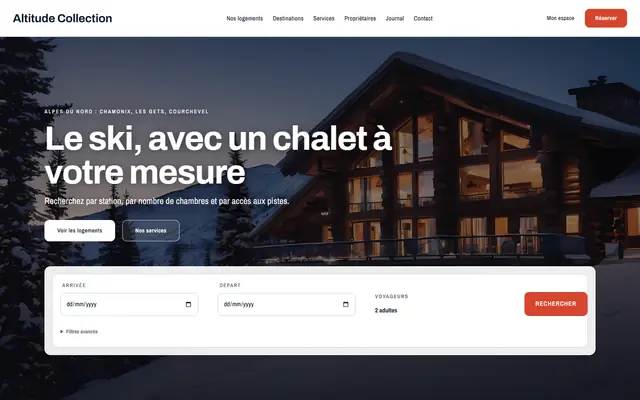
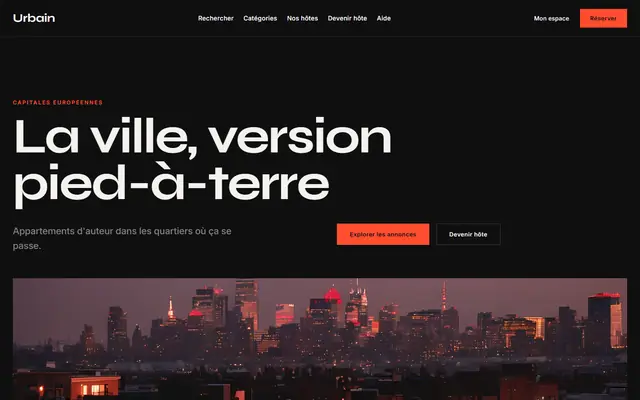
Templates by sector
Listings from many hosts: categories, search, listing pages and a “Become a host” page.

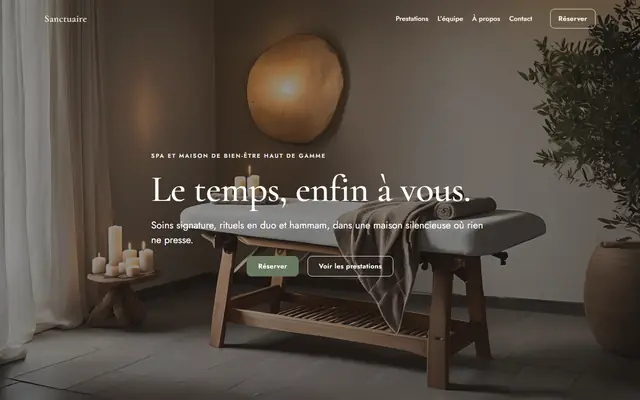
Templates by sector
Spa, barber, yoga, practice, lawyer, photographer… online appointment booking is built in.


One template, all its versions
Each template downloads for your page builder: a free add or a purchase gives you access to all of its versions.


Integrates natively with your page builder
Why Kraft Booking
All features are included from installation. No “Pro” version, no paid add-ons, no subscription.
Card, Apple Pay, Google Pay. Activation is a guided Stripe flow: you never handle API keys.
Availability locks, iCal sync every 15 minutes, blocking deposit: a slot or a night is only ever sold once.
Divi 5 modules, Gutenberg blocks, Elementor widgets (Bricks elements coming soon): the form fits your design, not the other way round.
Every update is verified before installation. If in doubt, roll back to the previous version: your data is always kept.
Your data stays on your WordPress site. The platform only receives aggregates and complies with the GDPR, with no third-party trackers.
Two modes, one plugin
Villas, cottages, B&Bs, apartments: nightly bookings with seasons, minimum stay, deposit then balance charged automatically, tourist tax and invoices.
Treatments, coaching, consultations, classes: services, team with individual schedules, group sessions with capacity, waiting list and automatic reminders.
How it works
From WordPress, add Kraft Booking like any other plugin. Choose accommodation or appointments mode.
One click on “Connect your site” creates your Kraft account and links your site: updates, payments and console are enabled.
The guided Stripe flow takes a few minutes. Your payments land directly in your bank account.
Frequently asked questions
Yes. The plugin is free and all features are included. The model relies on a 0.9% service fee added to every online payment and on a partner banner shown in your WordPress dashboard.
The service fee is shown to your customer at payment time and collected automatically by Stripe Connect. You receive the booking amount in your Stripe account, with no invoice to pay to Kraft.
No. From “Enable payments”, a guided Stripe flow creates your account in a few minutes (identity, IBAN). You never handle API keys.
Yes: Divi 5 modules, Gutenberg blocks and Elementor widgets are provided (Bricks elements coming soon). You place the booking form, calendar or search wherever you want.
Your choice. In WordPress, go to Plugins › Add New Plugin and search for “GDA Kraft Booking”: the WordPress.org edition is free and works without an account for accommodation (rates, seasons, calendar, iCal, booking requests paid offline), without online payments or appointment mode. To take payments online, manage appointments or use Kraft Console, download the complete edition from your free customer area. WordPress.org
Nothing is lost. The site switches to read-only mode (bookings remain visible) until you reconnect it from Kraft Booking › Connect your site.
No. Your bookings and customers stay in your WordPress. The Kraft GDA platform only receives aggregates (revenue, number of bookings) and the payer’s e-mail, passed to Stripe without being stored.
Create your Kraft account, install the plugin and connect your site. Allow ten minutes, coffee included.
Kraft support
Instant answers, 7 days a week
Chat is temporarily unavailable.
Did this conversation help you?
Thank you for your feedback!